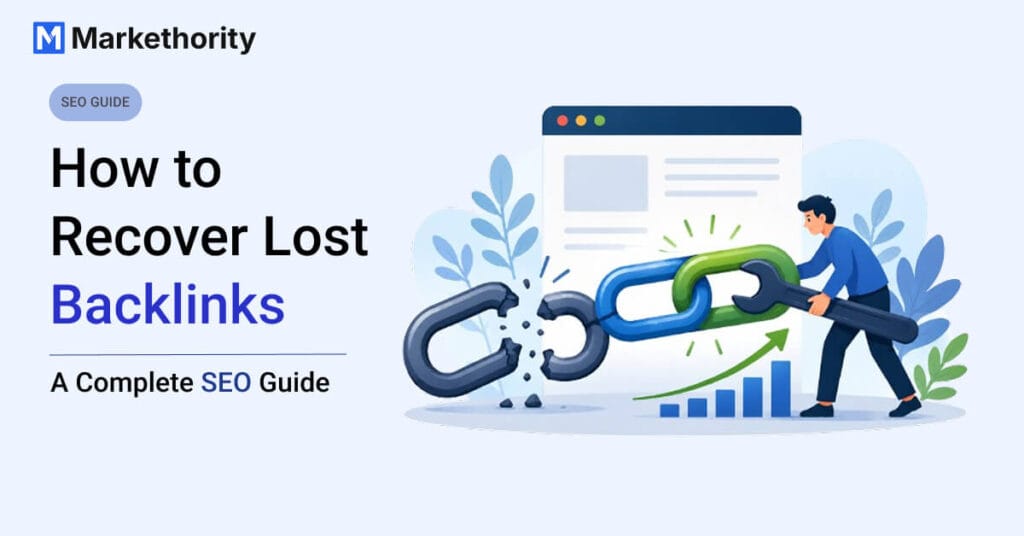
If you’ve been running an SEO campaign for a while, you already know the sinking feeling of opening your backlink report and seeing a number in red where there used to be a link. Learning how to recover lost backlinks is one of those skills every SEO eventually needs, because backlinks disappear for all kinds of reasons — a site redesign, a deleted blog post, an editor cleaning up old content — and not every one of them is worth chasing down. But some lost links were driving real referral traffic and may have been contributing to your site’s overall link profile, and getting them back can be a relatively efficient way to regain valuable link opportunities.
This guide walks through why backlinks get lost in the first place, how to find lost backlinks, how to decide which ones are actually worth recovering, and exactly how to restore a lost backlink through outreach.
In short: recovering a lost backlink involves finding the missing link, identifying why it disappeared, evaluating whether it’s worth recovering, contacting the referring website, and verifying the link once it’s restored. This backlink recovery process works whether you lost one link last week or dozens during a site migration.
Table of Contents
What Is a Lost Backlink?
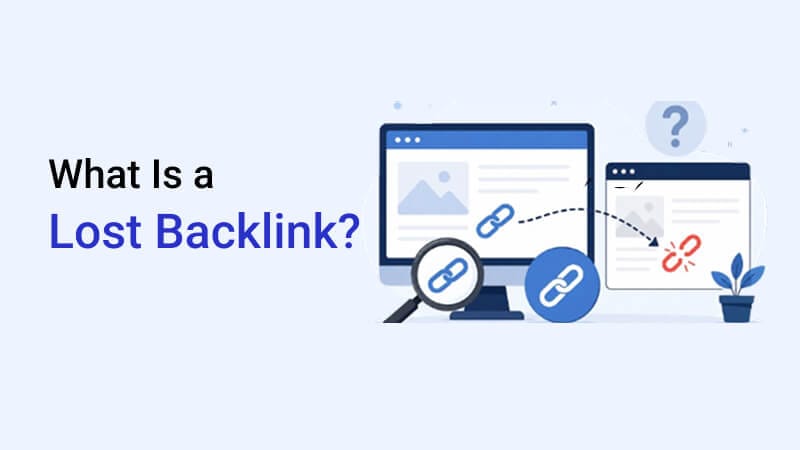
A lost backlink is simply a link that used to point to your website but no longer does. At some point, your backlink profile included it — your tool picked it up, you may have even been counting on it — and now it’s gone.
This can happen in a few different ways: the link itself was physically removed from the page, the entire page was deleted, or the URL on either end changed without anyone updating the link.
A quick before-and-after makes it clearer:
Before: Website A → links to Your Website After: Website A → no link at all (or the page itself no longer exists)
The tricky part is that “lost” doesn’t always mean gone for good. Sometimes it’s a simple fix; other times, there’s genuinely nothing left to recover.
Why Do Backlinks Get Lost?
There isn’t one single cause — it’s usually one of these:
The link was manually removed. An editor or site owner decided the link wasn’t needed anymore, or a new content policy meant outbound links got trimmed.
The linking page was deleted. Old blog posts get cleaned out during content audits, and if the page goes, so does the link on it.
Your own URL changed. If you changed your site structure or slug without setting up a redirect, the old link now points to a dead page.
The website went through a redesign. Redesigns often mean a fresh content structure, and older articles (along with their links) sometimes don’t survive the migration.
The content was updated. A writer refreshed the article and, in the process, swapped out or removed the citation that linked to you.
The publisher replaced your resource. A competitor’s page might have simply been considered more relevant or recent, so it took your spot.
The website went offline entirely. Domains expire, businesses shut down, or hosting lapses — and the link disappears along with the whole site.
Redirects or technical changes broke it. A broken redirect chain, a canonical tag change, or a migration error can quietly drop a link even if nobody touched it on purpose.
How to Find Lost Backlinks
This is the foundation of the whole process — you can’t recover what you haven’t identified.
Step 1: Open your backlink tool. Ahrefs, Semrush, and Moz all have a “lost backlinks” report built into their link intelligence dashboards. Any one of these works fine as a starting point.
Step 2: Filter for lost backlinks. Once the report loads, don’t scroll through everything manually — just apply the status filter and select “lost.” Every tool labels this a little differently, but you’re basically telling it: show me only the links that were there before and aren’t showing up anymore.
Step 3: Check when the backlink was lost. The date matters. A link lost three days ago is far easier to recover than one lost eighteen months ago, since the content and the site’s structure are more likely to still be current.
Step 4: Open the referring page. Don’t just trust the report — actually click through and see what the page looks like today.
Step 5: Verify manually. This is the step people skip, and it’s the one that saves you the most wasted outreach. Check whether the link is really gone, whether the page still exists, whether the URL changed, whether there’s a redirect in place, whether it was switched to nofollow, or whether the entire page was deleted. Before you invest time evaluating a link’s quality, it’s worth running a quick backlink quality check — you can use this backlink quality checklist to confirm the link was actually worth having before you spend time chasing it.
A word of caution: don’t blindly trust the “lost” label your tool gives you. Crawlers sometimes miss a page during a temporary outage and flag a perfectly fine link as lost. Manual verification is what separates a real recovery opportunity from a false alarm.
How to Find Lost Backlinks in Ahrefs
At a high level, the workflow in Ahrefs looks like this: open Site Explorer, enter your domain, go to the Backlinks report, then filter by “Lost” using the link status filter at the top. This gives you a list of referring pages that used to link to you but no longer do, along with the date each link was lost. From there, click into each referring page and review it manually — confirm whether the link was removed, the page was deleted, or something else changed.
Semrush follows a similar pattern through its Backlink Analytics tool: enter your domain, open the Backlinks tab, and filter by “Lost” to get a comparable list. Both tools also let you sort by referring domain authority, which is a quick way to spot your highest-value lost links first.
Interface names and filter labels do shift as these tools update, so it’s worth double-checking the current menu structure in your account before publishing screenshots or exact click-paths.
Which Lost Backlinks Should You Recover?
Not every lost link deserves your time, and this is where a lot of SEO teams go wrong — they chase volume instead of value. Before reaching out to anyone, it helps to actually evaluate the website for link building the same way you would before pursuing a brand-new link.
Recover these first:
- Links from relevant, topically-aligned websites
- High-quality, high-authority referring domains
- Pages that were sending real organic or referral traffic
- Contextual links placed naturally within body content
- Links pointing to a genuinely valuable target page on your site
Don’t prioritize these:
- Spammy or low-trust websites
- Links from an unrelated niche
- Pages that are now deindexed
- Low-quality directory or listing links
- Anything that looks like part of a suspicious link network
A simple scoring system makes this decision easier. Instead of judging a lost link on gut feeling alone, try Markethority’s practical scoring framework — it’s not an official ranking formula, just a quick way to compare lost links against each other consistently.
Lost Backlink Recovery Score: rate each lost backlink from 1–5 on the following factors, then add up the total:
- Relevance to your niche
- Referring domain quality
- Organic traffic the referring page gets
- How the link was placed (contextual vs. sidebar/footer)
- Referral traffic the link was historically sending
- Overall business value of that relationship
| Total Score | Priority |
| 24–30 | High priority — recover it |
| 16–23 | Medium priority — worth a closer look |
| 6–15 | Low priority — probably not worth the outreach |
This scoring range is a practical guide, not a Google-sanctioned formula — use it to compare your own lost links against each other, not as an absolute measure of SEO value.
Running lost links through this filter before you even open your email client will save you from wasting outreach effort on links that wouldn’t have moved the needle anyway.
How to Recover Lost Backlinks
Once you’ve decided a link is worth chasing, here’s how to fix lost backlinks step by step. This is the core backlink recovery process — the same seven steps work whether you’re chasing one link or fifty.
Step 1: Confirm the backlink is actually lost. Re-check the page manually one more time before you reach out — there’s nothing worse than emailing someone about a link that’s actually still there.
Step 2: Find out why it disappeared. This shapes your entire outreach message. A deleted page needs a very different ask than a URL that simply changed.
Step 3: Check your current URL. Before you ask anyone for anything, open the page you’re pointing them to and actually look at it. Does it still load? Is it still the best page for that topic, or has something newer replaced it since the link first went live? Sending someone to a broken or outdated page kills the whole request before it even starts.
Step 4: Find the website owner or editor. Skip the generic contact form if you can help it. Check the author bio at the bottom of the article, look for an “About” or “Contact” page, or just search their name on LinkedIn. A message to a real person, addressed by name, gets read a lot faster than anything sent to info@ or hello@.
Step 5: Send a short outreach email. Nobody wants to read a long email from a stranger. Say who you are, mention the exact page and link you’re talking about, and ask for what you need — that’s it. Keep it brief, polite, and specific. If you want a deeper framework for this, our link building outreach strategy guide covers the same personalized, low-friction approach in more detail.
Step 6: Follow up. Most people don’t reply to the first email, not because they’re ignoring you, but because it simply slipped down their inbox. One polite follow-up after 5–7 days is usually enough.
Step 7: Verify the restored link. Once they confirm, go check the live page yourself. Don’t just take their word for it — tools can take a few days to re-crawl, so a manual check is faster and more reliable.
Lost Backlink Recovery Email Template
Skip the “Dear Webmaster, I am writing to request…” opener. Everyone’s seen that email a hundred times and most people delete it without reading past the first line. Write it the way you’d actually message someone:
Hi [Name],
I was reading through your article “[Article Title]” and noticed the link to our resource isn’t working anymore — looks like it might have dropped off during a recent page update.
The page is still live and up to date at [Your URL], so if it still fits what you’re covering, I’d really appreciate it if you could restore the link. Let me know if there’s anything you need from my side.
Thanks either way!
[Your Name]
Short emails work better simply because editors are busy people. If they can read your ask in ten seconds and act on it in one click, you’ve got a real shot at a yes. The moment it starts feeling like a form letter, it goes straight to the trash.
What If the Original URL No Longer Exists?
Sometimes the page you were linked from disappears entirely, and there are really three scenarios to plan for.
Situation 1: Old URL moved to a new URL. If the content is still around but just lives at a different address now, that’s the easy case — just let the publisher know where it moved and ask them to update the link accordingly.
Situation 2: Old content was deleted, but a replacement resource is available. Sometimes the original piece is gone, but you’ve since published something newer covering the same ground. In that case, offer that page as a swap-in instead.
Situation 3: No replacement resource exists. In this case, it’s best to let it go. Don’t try to convince a publisher to squeeze in a link that no longer fits the context of their content — that kind of ask usually gets ignored anyway, and it can hurt your reputation with that site for future outreach.
How to Recover Backlinks After a Website Migration
Migrations are one of the biggest causes of mass backlink loss, and recovering from one takes a slightly more structured approach:
- Build a complete old-URL-to-new-URL mapping before you migrate, not after
- Set up relevant 301 redirects for old URLs that have a suitable replacement page — redirecting everything blindly, including pages with no real equivalent, can do more harm than good
- Run a full backlink audit post-migration to see what actually broke
- Prioritize outreach to your most important referring domains first
- Update links directly where you have the relationship to do so
- Keep monitoring your backlink profile for a few months after the migration, since some issues surface late
Migrations rarely go perfectly, but a good mapping document and a proactive redirect strategy prevent the vast majority of link loss before it even happens.
Lost Backlinks vs. Link Reclamation
These two terms get used interchangeably, but they’re not quite the same thing.
| Lost Backlink Recovery | Link Reclamation |
| Recovers a previously existing link | Recovers missed or unlinked opportunities |
| Focuses on historical backlinks | Can include unlinked brand mentions and other opportunities |
| Goal is to restore the previous link | Goal is to reclaim or earn a relevant link |
In practice, both processes often run side by side — while you’re auditing lost links, you’ll frequently stumble across unlinked brand mentions worth turning into new links too.
Should You Recover Every Lost Backlink?
No.
Recovery is worth the effort only when the link scores well on a few factors: relevance to your niche, the overall quality of the referring domain, how much real traffic it was sending, the actual business value of that relationship, and how much effort the outreach will realistically take. A low-authority, irrelevant link isn’t worth an email — but a link from a trusted, on-topic publisher almost always is.
How to Prevent Losing Valuable Backlinks
Recovery is useful, but prevention saves you the work in the first place:
- Avoid unnecessary URL changes once a page has earned links
- Set up and maintain proper redirects any time a URL does need to change
- Monitor your backlink profile regularly instead of only checking it occasionally
- Keep high-performing content updated instead of letting it go stale and get replaced
- Track your highest-value referring domains specifically, so you notice quickly if something changes
- Treat migrations as high-risk events and monitor closely afterward
A consistent focus on earning and maintaining quality backlinks from the start also makes recovery easier down the line, since strong relationships with reputable sites tend to be the ones most willing to restore a link when asked.
Lost Backlink Recovery Checklist
Before moving on, use this quick checklist:
☐ Find the lost backlink
☐ Verify the backlink manually
☐ Check the referring page
☐ Identify why the link was lost
☐ Check the referring domain’s quality
☐ Check its relevance to your niche
☐ Confirm your target URL is live and correct
☐ Prioritize the link: High, Medium, or Low
☐ Contact the publisher
☐ Follow up if needed
☐ Verify that the link has been restored
☐ Monitor the backlink going forward
FAQs
What is a lost backlink?
A lost backlink is a link that previously pointed to your website but has since been removed, either because the link was deleted, the page was taken down, or a URL changed without a redirect in place.
Why do backlinks get lost?
Common causes include manual removal, page deletion, website redesigns, content updates, broken redirects, or the referring website going offline entirely.
How do I find lost backlinks?
Use a backlink tool like Ahrefs, Semrush, or Moz to filter for “lost” links, then manually verify each one by checking the live referring page yourself.
Can lost backlinks be recovered?
Yes, many can be recovered through polite, targeted outreach to the site owner or editor, especially if the link disappeared recently and the content is still relevant.
Are lost backlinks bad for SEO?
Losing a high-quality, relevant backlink can reduce referral traffic and authority signals, but losing a low-quality or irrelevant one usually has little to no impact.
Should I recover every lost backlink?
No. Focus your recovery efforts on links from relevant, high-quality domains that were actually sending traffic or authority — chasing every lost link wastes time on ones that were never worth much in the first place.
Final Thoughts
Knowing how to recover lost backlinks isn’t about chasing every link that disappears from your report — it’s about running a consistent backlink recovery process and reaching out in a way that makes it easy for publishers to say yes. A few things worth keeping in mind going forward:
- Monitor regularly. Don’t wait for a quarterly audit — checking your backlink report on a set schedule catches losses while they’re still easy to recover.
- Prioritize valuable links. Use a scoring approach (like the one above) instead of chasing every lost link with equal effort.
- Verify recovery manually. Once a publisher confirms, check the live page yourself rather than relying on your tool’s next crawl.
Pair recovery with ongoing link monitoring and you’ll spend far less time firefighting and more time building new, high-quality links instead.